Treehouse Project Reviewer
Built in one week: automated coding-project reviews with rubric evidence, student guidance, and reported workload savings equivalent to three full-time team members.
The Bottom Line (TL;DR)
Built in one week, the reviewer supports all 11 Full Stack JavaScript projects and 76 rubric categories. The reported workload savings are equivalent to the work of three full-time team members, while keeping review evidence and optional teacher adjustments visible.
Client
Treehouse
Timeline
1 week
- Build timeline
- 1 week
- Reported workload savings
- 3 FTE
- Work equivalent to three full-time team members.
- Projects supported
- 11
- Rubric categories
- 76
The Challenge
Reviewing a complete coding project means more than checking whether it runs. Reviewers need to understand the source, test interactions, inspect server responses, and map each finding to the project’s grading rubric. Repeating that work across submissions creates a substantial operational workload.
I needed to make that process faster while keeping the feedback useful and the grading boundaries clear. A missing feature, an Extra Credit gap, and something the system could not verify needed to produce different outcomes.
Teachers also needed a way to inspect the reasoning behind a proposed rating. Students needed a clear next step, relevant code locations, and guidance that helped them improve their own work.
The Solution
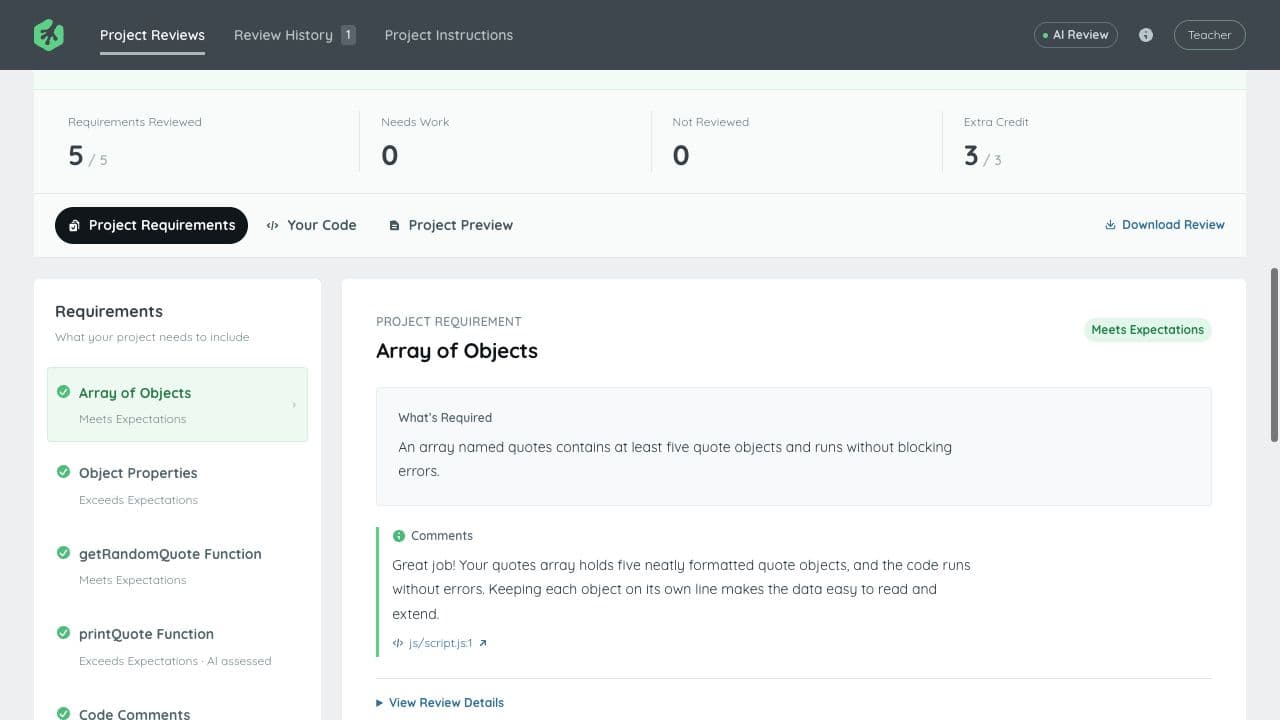
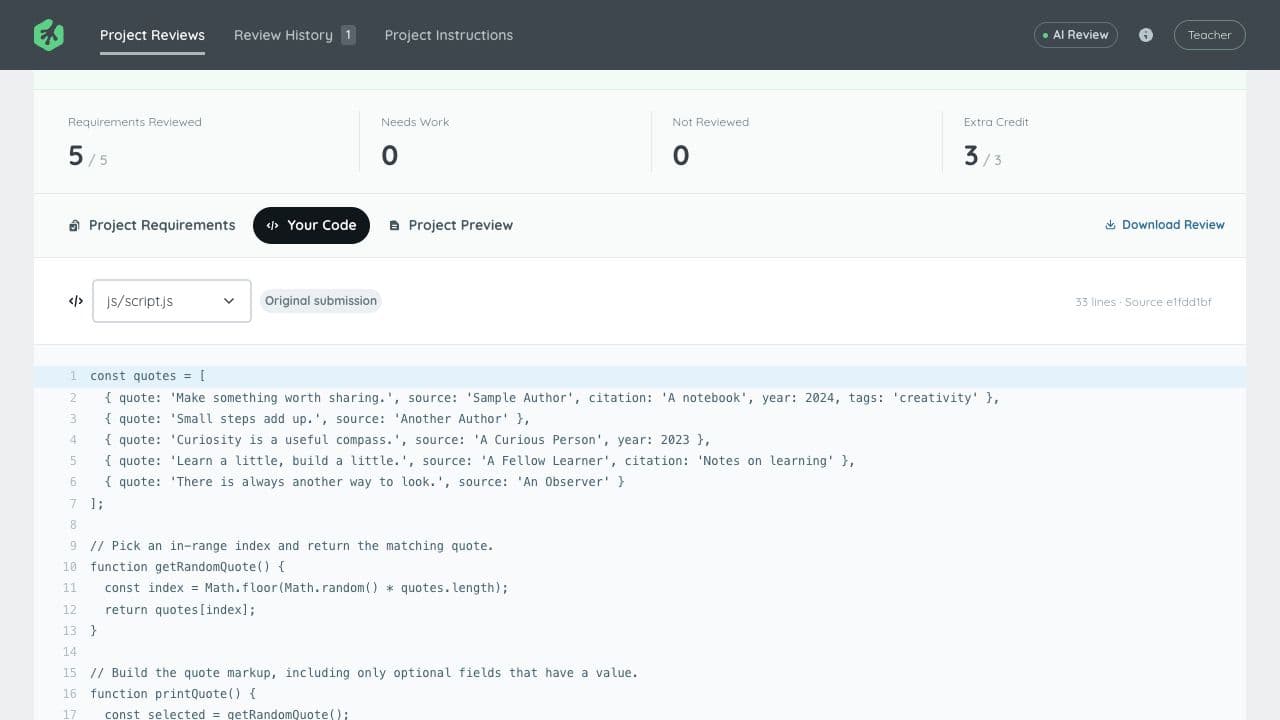
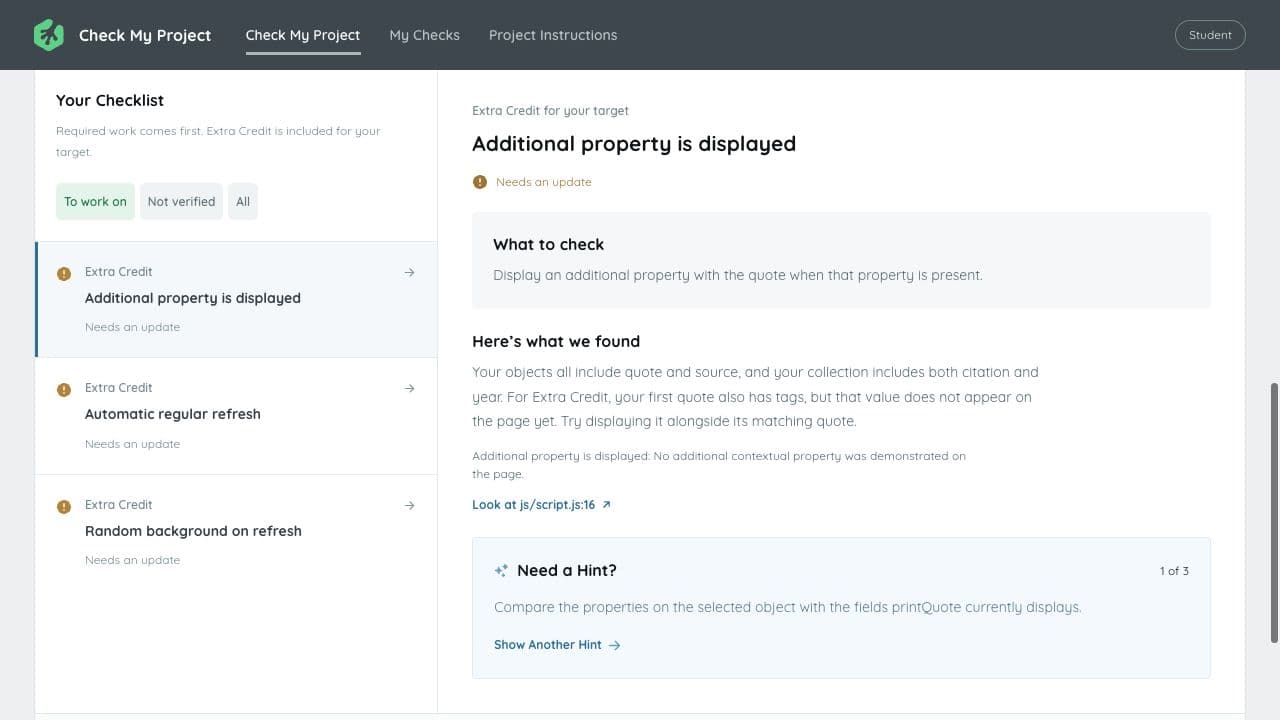
I built two applications around a shared assessment pipeline. Project Reviews gives teachers category ratings, a proposed grade, comments, source references, and available behavior evidence. Check My Project turns those same decisions into a target-grade checklist and progressive hints for students.
Reviews can start from a ZIP, public GitHub repository, source file, or pasted code. Each run retains the project’s rubric version and the imported source, so a later review can be traced to what was actually assessed.
The system collects evidence before asking AI for a judgment. Depending on the project, that includes source inspection, controlled browser interactions, rendered previews, bounded HTTP requests, and disposable database checks. Submitted server code and lint configuration run through an isolated execution path.
Codex or Claude Code then reviews the source, rubric, and collected evidence. Decision validation and a rubric audit check for unsupported conclusions, duplicate penalties, and requirements that were never part of the grading contract. Missing evidence stays unverified rather than becoming an invented pass.
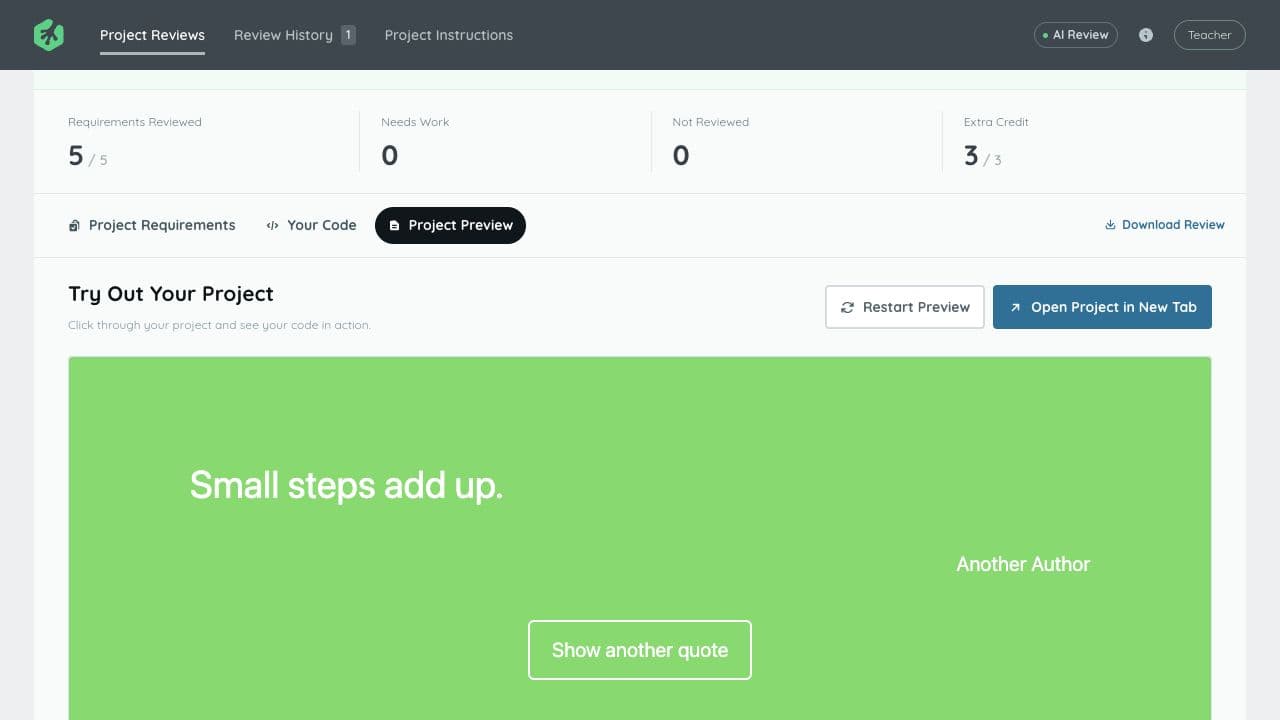
The teacher workspace brings requirements, code, and previews into one interface. Optional rating changes require a recorded reason. The student experience keeps required work separate from Extra Credit, points to relevant source lines, and reveals hints progressively.
How the review works
Import the submission
Normalize the project files, capture the GitHub commit when applicable, and retain the source and selected rubric version.
Collect evidence
Inspect source and collect supported browser, server, database, and lint observations with their scope recorded.
Review against the rubric
Give the selected AI reviewer the grading contract, source, and available evidence for category decisions and feedback.
Validate the decisions
Check rubric citations, category limits, required work, and eligible Extra Credit; keep unavailable evidence separate.
Support the reviewer
Show teachers the ratings, code, preview, and comments together, with optional reasoned adjustments.
Guide the student
Present a target-based checklist, source references, and progressive hints, then let students check their updated files.
The Results
I delivered the workflow in one week. The reported reduction in review workload is equivalent to the work of three full-time team members.
Both applications support all 11 Full Stack JavaScript Techdegree projects, with 76 captured rubric categories. Coverage spans browser JavaScript, React, Express, SQL-backed applications, REST APIs, and the full-stack React/API project.
In the recorded October 30, 2026 calibration, 217 of 228 category ratings matched historical Treehouse reviews: 95.2% category agreement across 33 pinned submissions. Overall grades matched in 25 of 33 cases. Five submissions remained blocked by supported required failures; the remaining differences included actual Extra Credit gaps and deliberate use of the published student-facing rubric.
The recorded comparison combines saved assessments with targeted reruns. The documented November 2 baseline also records 130 passing tests per application.
The delivered tools are local applications. Reviews and practice checks are saved locally; official submissions and grades remain in Treehouse’s existing workflow. The screenshots throughout this case study show authored demonstration projects.